![Logo - Copy-2.jpg]](https://help.accrets.com/hs-fs/hubfs/Logo%20-%20Copy-2.jpg?height=40&name=Logo%20-%20Copy-2.jpg)
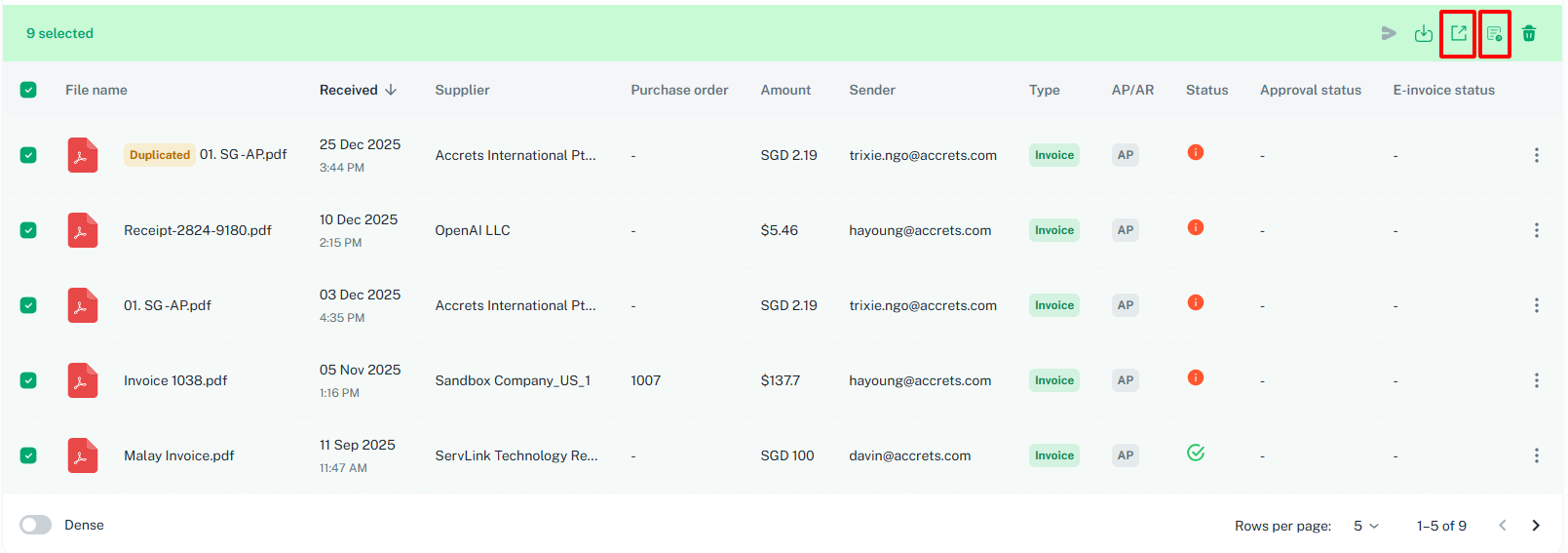
Select the documents you wish to export to CSV by checking the boxes on the left side of the Document List. Once you have made your selection, go to the export menu and choose the export format that best fits your reporting or integration requirements. You will see two options:
- Export All: Exports all available data fields for the selected documents, including full document details and all associated line items (such as individual products, quantities, prices, tax breakdowns, and other transactional fields).
This option is recommended when you need to perform detailed analysis, reconcile data with your ERP or accounting system, or retain a complete audit trail.
- Export General: Exports only the basic header or summary information for each selected document, without any line‑item level detail.
This typically includes document number, customer or vendor information, dates, totals, status, and other key summary fields. This option is suitable for high-level reporting, management summaries, or when you only require an overview of document activity without granular transactional data.