---
title: How To Track Your Claims With ASSIST?
description: How To Track Claims with ASSIST?
---
[Skip to content](https://help.accrets.com/knowledge/how-to-track-your-claims-with-assist#main-content)
English
Show submenu for translations
![Logo - Copy-2.jpg\]](https://help.accrets.com/hs-fs/hubfs/Logo%20-%20Copy-2.jpg?height=40&name=Logo%20-%20Copy-2.jpg)
Open main navigation
Close main navigation
- English
Show submenu for translations
Hello 👋 How can we help you?
- There are no suggestions because the search field is empty.
1. [Help Desk](https://help.accrets.com/knowledge?hsLang=en)
2. [ASSIST](https://help.accrets.com/knowledge/assist?hsLang=en)
3. [Document Details](https://help.accrets.com/knowledge/assist?hsLang=en#document-details)
# How To Track Your Claims With ASSIST?
## Losing track of expenses is a thing of the past. With ASSIST, you can submit and monitor your claims from any device, anywhere. Follow these 4 simple steps to get started:
### **Step 1: Access Your Dashboard**
Log in to your **ASSIST account** using your credentials.
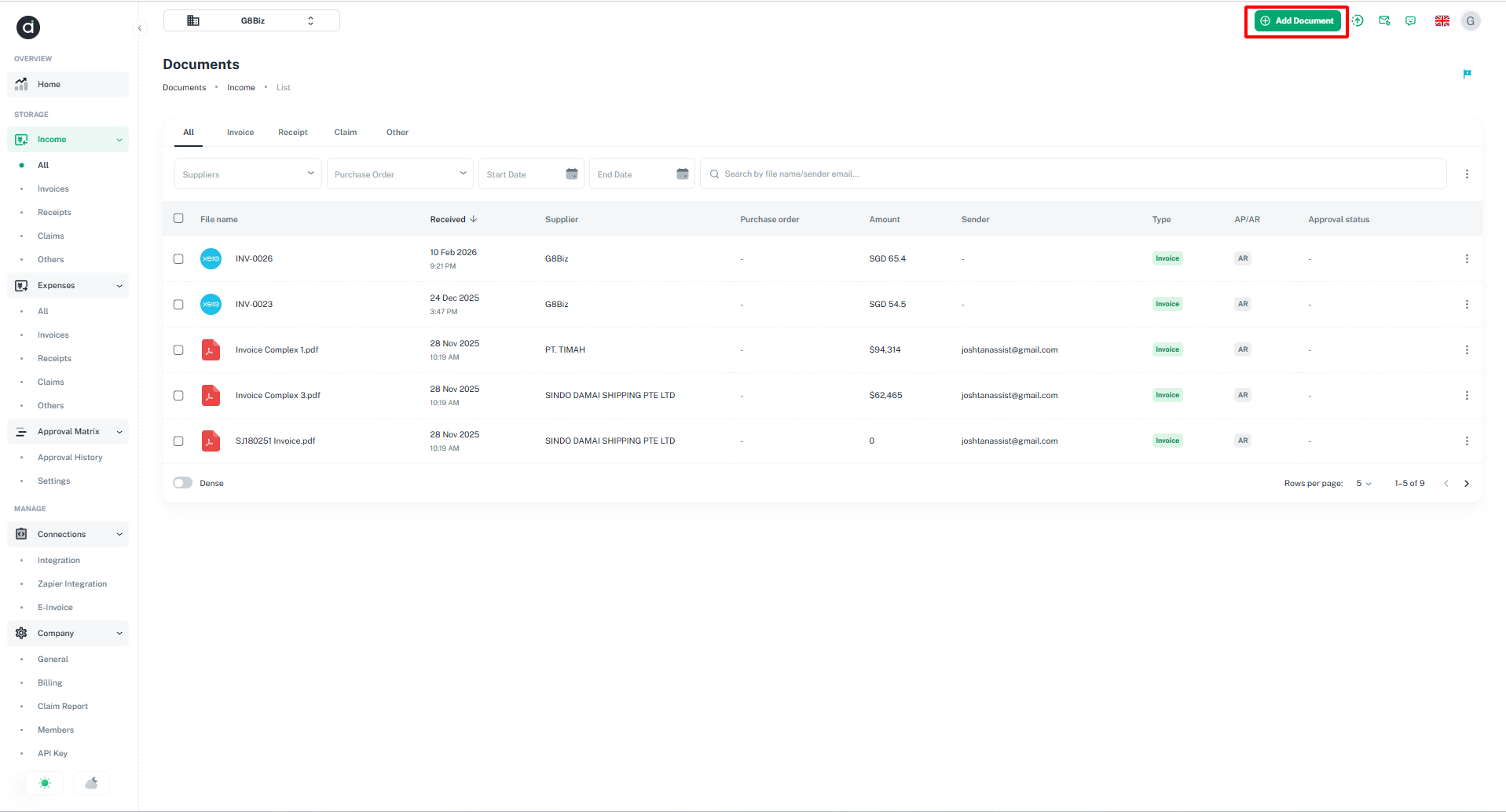
### **Step 2: Initialize Claim Link**
Navigate to the claims section, select **"Add Documents,"** and copy your unique **Claims Link/Email**. This link connects your external files directly to your ASSIST profile.
> 
### **Step 3: Submit via Email**
Simply forward or send your digital **invoices and receipts** to the claim email address you copied. Our system will automatically recognize and categorize them as new Claims.
- **Pro Tip:** This allows you to submit expenses instantly from your phone or tablet right after a purchase.
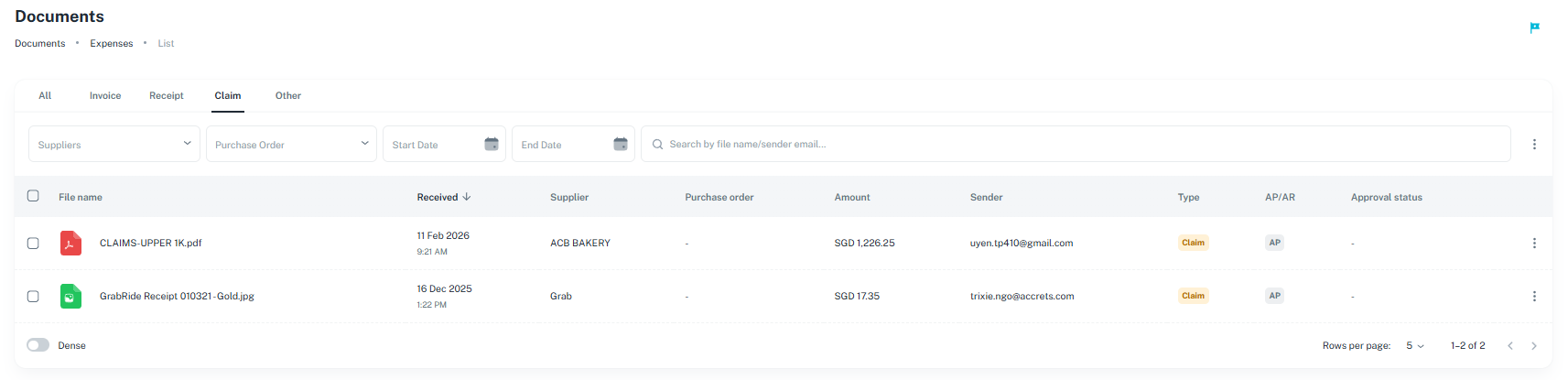
### **Step 4: Verify and Track**
Return to the **ASSIST platform** to view your uploaded files. You can track the status of each claim in real-time to ensure everything is processed correctly.
> 
---
**Why use Email Submission?** It’s the fastest way to stay organized. Whether you're on a business trip or working remotely, you can sync your receipts to ASSIST without needing to be at your desk.
- [ASSIST](https://help.accrets.com/knowledge/assist?hsLang=en#main-content)
- [Getting Started](https://help.accrets.com/knowledge/assist?hsLang=en#getting-started)
- [Document Details](https://help.accrets.com/knowledge/assist?hsLang=en#document-details)
- [Subscriptions](https://help.accrets.com/knowledge/assist?hsLang=en#subscriptions)
- [Xero Integration](https://help.accrets.com/knowledge/assist?hsLang=en#xero-integration)
- [FAQ](https://help.accrets.com/knowledge/assist?hsLang=en#faq)
[](https://Accrets.com)
Accrets International Pte Ltd
Copyright © 2026, Assist.biz